The AI Tools I Actually Use as a Content Creator (And the Ones I Stopped Paying For)
I've probably tried every AI tool marketed to creators in the past two years. Some changed my workflow completely. Others were a waste of money that I wish I could get refunded.
The Tools I Use Every Single Day
1. Claude (Anthropic)
I use Claude for everything writing-related. Caption ideas, blog post outlines, email responses to brands, even scripting my longer-form Reels. It's significantly better than ChatGPT at understanding nuance.
2. CapCut (with AI features)
CapCut's AI features are genuinely impressive. The auto-captions are accurate enough that I rarely correct them. The text-to-speech voices sound natural.
3. Midjourney
I use Midjourney for creating unique visuals for my faceless accounts and blog headers. The v7 results are so good that I've stopped using stock photo sites almost entirely.
4. Notion AI
I already lived in Notion for content planning, so adding Notion AI was a natural step. I use it to summarize research, generate to-do lists from meeting notes, and brainstorm content pillars.
The Tools I Tried and Cancelled
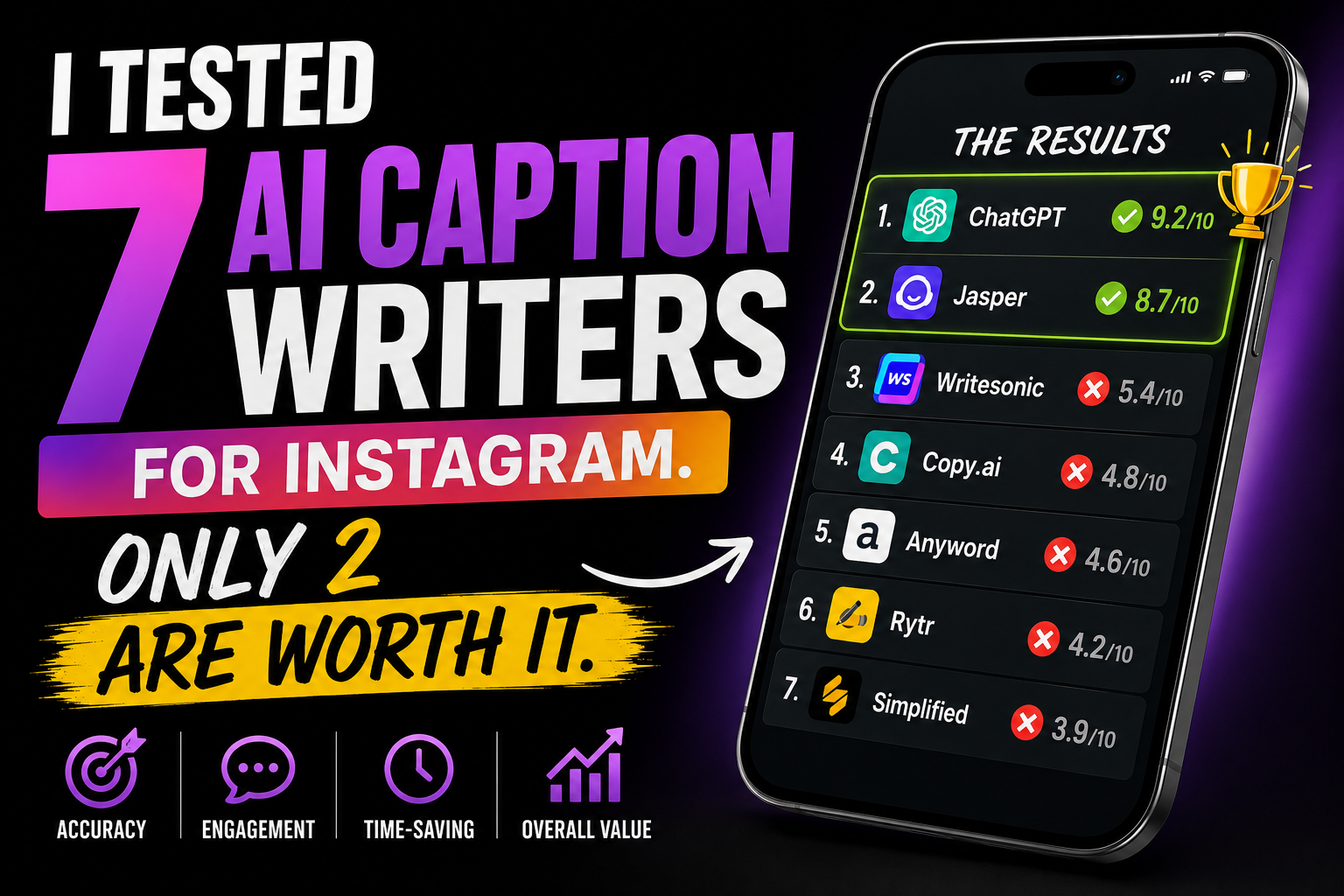
Jasper: Designed for marketing copy, not creator content. Everything sounded like a sales page.
Copy.ai: Great for ad copy, terrible for authentic social media content.
AI Video Generators: The avatars still look slightly robotic, and the generated videos feel sterile.
How I Actually Use AI in My Workflow
- Monday morning: Spend 30 minutes with Claude brainstorming content ideas for the week.
- Scripting: Write a rough outline myself, then use Claude to tighten the language and suggest better hooks.
- Visuals: Generate custom images in Midjourney rather than using generic stock photos.
- Editing: CapCut's auto-captions save me about 10 minutes per Reel.
- Repurposing: Write one long-form blog post, then use AI to suggest how to break it into 3-5 Reels.
The Honest Cost Breakdown
- Claude Pro: $20
- Midjourney Standard: $30
- Notion AI: $10
- CapCut: Free
- ChatGPT Plus: $20
Total: about $80/month. For the time it saves me, it's absolutely worth it.
What AI Can't Do (And Probably Never Will)
AI can't replace your unique perspective. It can help you express it faster, but the core ideas need to come from you.
AI can't build genuine relationships with your audience. The DMs, the comment replies, the community building — that's all human work.
AI can't replicate the trust that comes from sharing real failures and honest opinions. Your audience follows you, not a perfectly optimized content machine.
Related resources: Explore more at the Instagram Creator Academy and CapCut.
Deep Dive: Claude vs ChatGPT for Creators
I pay for both. Here is when I use each. Claude wins for anything that requires tone, nuance, or emotional intelligence. When I need a caption that sounds like me, not a robot, Claude delivers. ChatGPT wins for brainstorming, list generation, and quick research. It is faster and more creative with variety.
My actual workflow: I start brainstorming in ChatGPT, get 20 ideas, pick the best 5, then move to Claude to write the actual captions, scripts, and emails. This two-tool approach costs $40/month but saves me 8-10 hours per week.
AI Tools for Visual Content
Midjourney: I generate custom blog headers, carousel backgrounds, and faceless account visuals. The v7 photorealism is good enough that I have replaced stock photos entirely. My prompt structure: "[subject] in [setting], [lighting], [mood], editorial photography style, high detail, 8k."
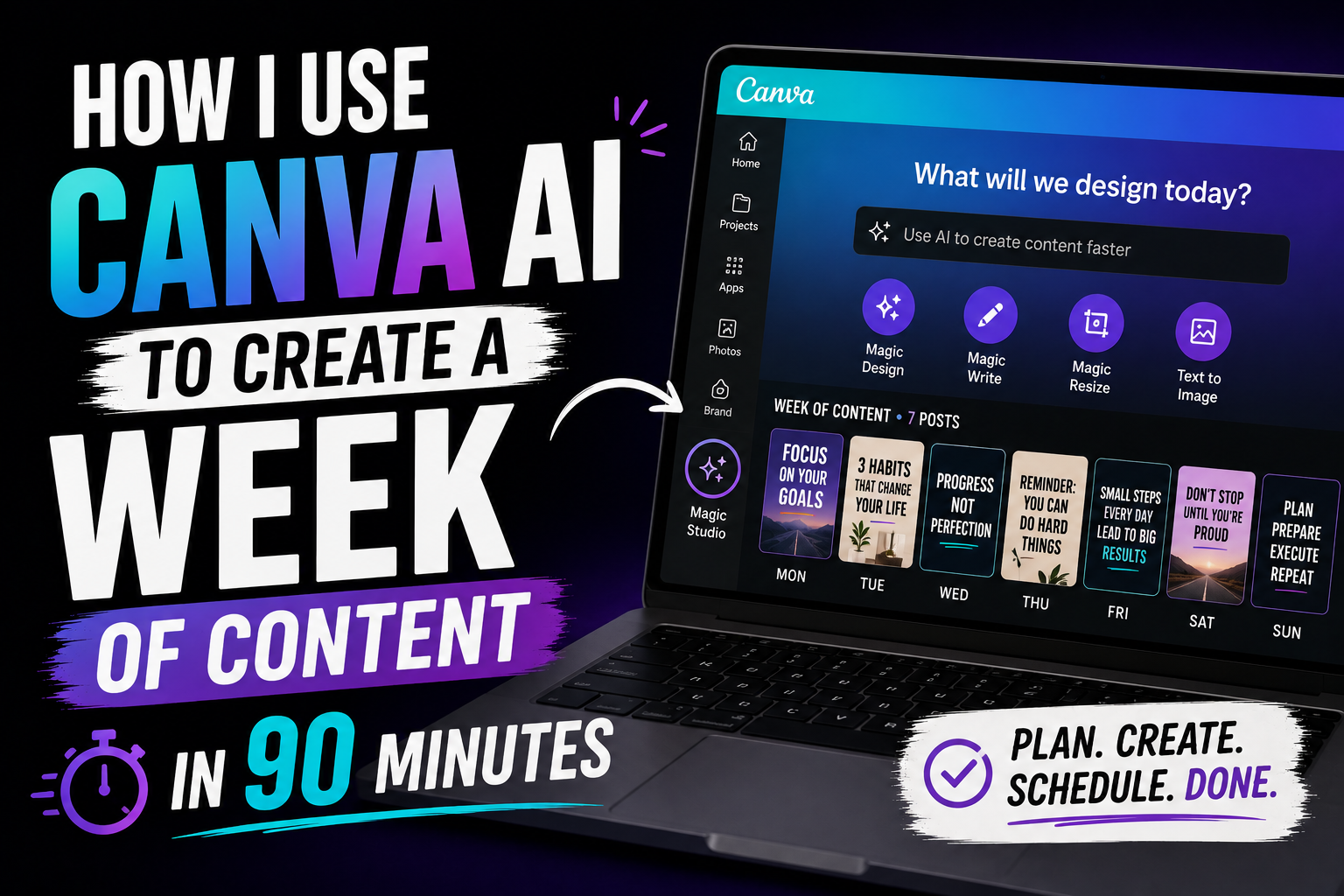
Canva Magic Design: I upload my content outline and Canva suggests layout templates. It is not perfect, but it gives me a starting point that saves 10 minutes per carousel.
Remove.bg: Removes backgrounds from photos in 5 seconds. I use it for product shots, profile pictures, and overlay images.
The Hidden Cost of AI Tools
AI tools are not cheap when you stack them. My monthly AI tool stack costs $127: Claude Pro ($20), Midjourney ($30), Canva Pro ($13), CapCut Pro ($8), Notion AI ($10), Descript ($12), plus miscellaneous tools. That is $1,524 per year.
But here is the math: those tools save me approximately 15 hours per week. At a conservative valuation of my time at $50/hour, that is $750 per week in saved time. The tools pay for themselves 25x over.
The real question is not whether you can afford AI tools. It is whether you can afford to keep doing everything manually while your competitors use them.
AI Tools I Am Testing Now
OpusClip: Automatically cuts long videos into short clips with hooks. It is 70% accurate. I still review every clip, but the first draft saves 30 minutes.
ElevenLabs: Voice cloning for faceless accounts. I recorded 30 minutes of my voice and now I can generate voiceovers that sound like me without speaking. The quality is 85% there.
Perplexity: Research assistant that cites sources. I use it to fact-check claims before I make them in educational content.
How to Build Your First AI Stack
Start with one tool. Master it. Then add the next. My recommended starter stack:
Month 1: CapCut Pro for editing. Cost: $8. Time saved: 3 hours/week.
Month 2: Claude Pro for writing. Cost: $20. Time saved: 4 hours/week.
Month 3: Canva Pro for design. Cost: $13. Time saved: 2 hours/week.
Total monthly: $41. Total time saved: 9 hours/week.
FAQ
Will AI replace creators? No. AI amplifies creators. The ones who use AI thoughtfully will replace the ones who refuse to adapt.
Which tool should I buy first? CapCut Pro if you make video. Claude Pro if you write more than you film.
Do I need the most expensive plans? No. I use the cheapest paid tier for every tool and it is more than enough.
Case Study: Cutting Content Creation Time by 60%
In Q4 2024, I tracked every minute I spent on content creation. Total: 28 hours per week. In Q1 2025, after integrating AI tools, I tracked again. Total: 11 hours per week. Same output. Better quality. Here is exactly what changed.
Caption writing: From 6 hours to 1.5 hours. Claude writes first drafts in 10 minutes. I edit for 20 minutes. Before, I spent 45 minutes per caption from scratch.
Visual creation: From 8 hours to 3 hours. Midjourney generates custom images in 30 seconds. Before, I spent 20 minutes searching stock photo sites per image.
Video editing: From 10 hours to 4 hours. CapCut auto-captions and smart cuts save 40% of editing time. Before, I manually cut every pause.
Content planning: From 4 hours to 2.5 hours. Notion AI helps me brainstorm and organize ideas faster. Before, I stared at blank pages for hours.
AI Tools That Disappointed Me
Jasper: $49/month for marketing copy that sounds like every sales page on the internet. Cancelled after 3 weeks.
Copy.ai: Better than Jasper but still too generic for creator content. The social media templates felt like they were written by someone who has never used Instagram.
Lately: The onboarding alone took 45 minutes. The output was corporate and sterile. Worst value of any tool I tested.
AI video generators: Still in the uncanny valley. Avatars look slightly robotic. Generated videos feel soulless. Not ready for prime time.
The Ethics of Using AI as a Creator
I disclose when I use AI. Not because I have to, but because transparency builds trust. My audience knows I use Claude for first drafts and Midjourney for visuals. They do not care. They care about the final product being useful and authentic.
The ethical line, in my opinion, is this: use AI to amplify your voice, not to replace it. If your content could have been written by anyone using the same AI tool, it is not valuable enough. Add your perspective, your experience, your failures. That is what AI cannot replicate.
Final Thoughts
AI is a tool, not a replacement. The creators who thrive in 2026 will be the ones who use AI to do more of what humans do best: connect, empathize, and tell stories that matter. The tool handles the mechanics. You handle the meaning.
Maya Chen
Creator, writer, and recovering perfectionist. I share what I learn growing Instagram accounts and building a creator business — the honest way.